• My Feed
  • Home
  • What's Important
  • Media & Entertainment
Search

Stay Curious. Stay Wanture.

© 2026 Wanture. All rights reserved.

  • Terms of Use
  • Privacy Policy
Tech/Gadgets
Montblanc Digital Paper Review: When $905 Buys Silence, Not Features

Testing the luxury e-ink tablet that costs $276 more than reMarkable — and does less

9 December 2025

—

Review *

Lila Fontaine
banner

A week with Montblanc's Digital Paper reveals a paradox: 4,096 pressure levels and exquisite aluminum construction wrapped around deliberate limitations. No browser, no apps, no ecosystem transparency. For $905, you're buying constraint as luxury — a writing device that can't distract you. We tested the texture simulation, compared the $276 premium over reMarkable Paper Pro, and discovered who this beautiful limitation actually serves.

2c82da7c-c6bc-4c6b-b8a9-238a51ba3aa5

Monday morning, 6:47 AM. The Digital Paper sits beside a coffee cup in a Portland apartment, no notifications, no email badge—just a blank page waiting. For the first time in months, the first thought of the day goes onto a screen without checking anything else first.

The device on the table is Montblanc's new Digital Paper—$905 worth of aluminum, e-ink, and a single question: can the quality of your writing tool change the quality of your thinking?

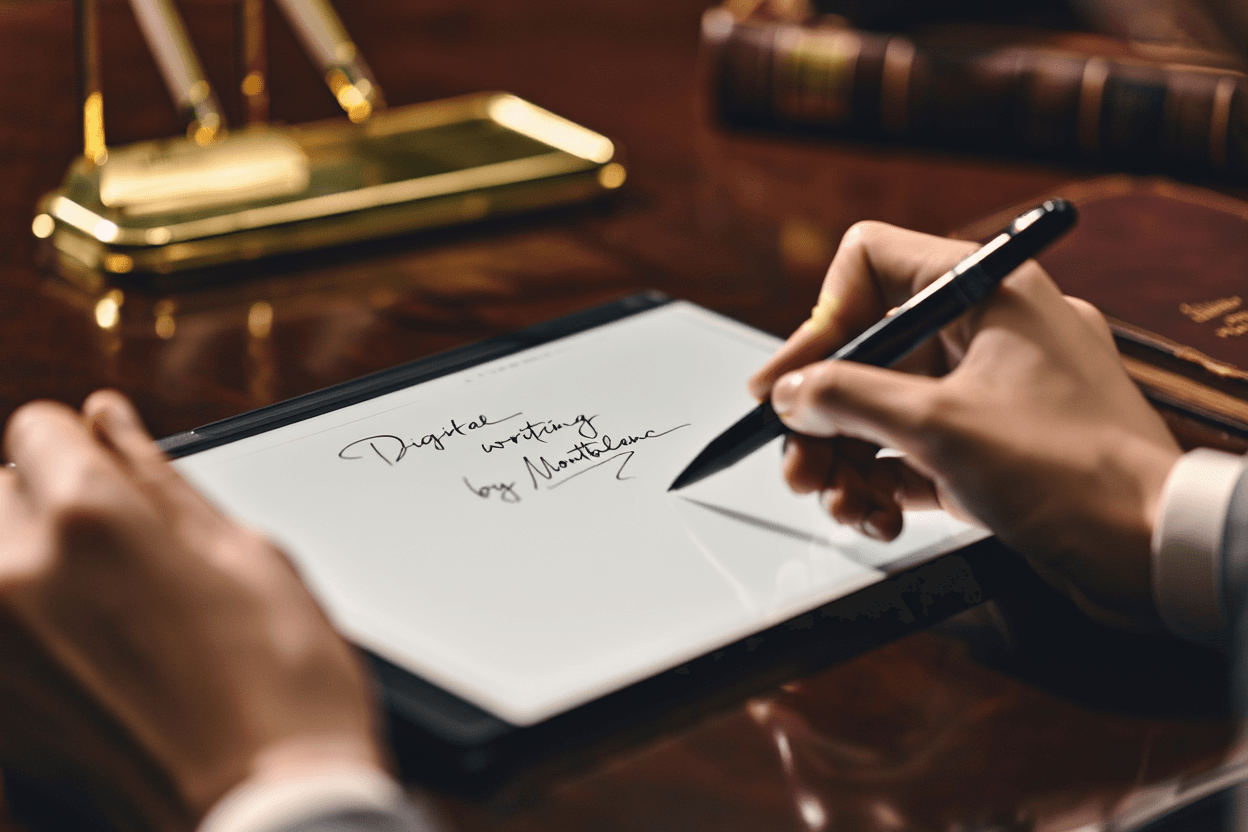
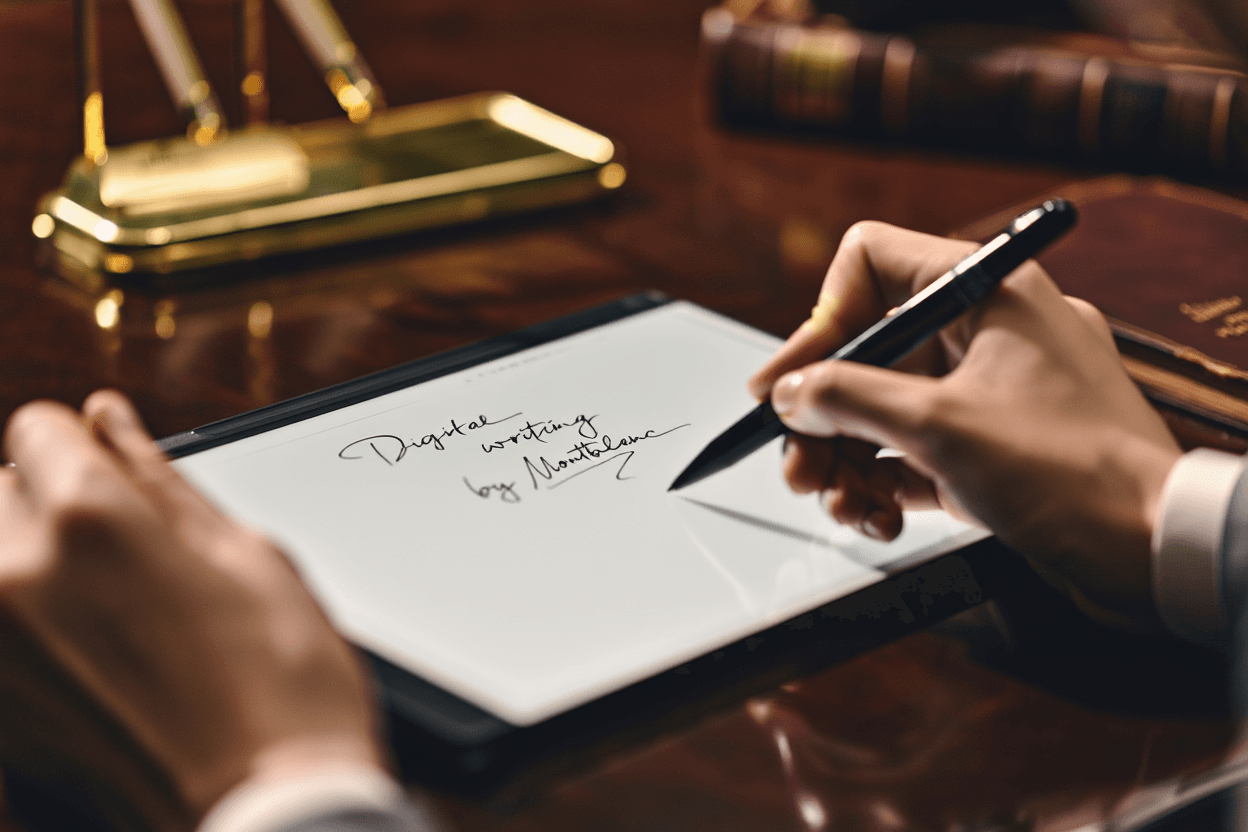
Montblanc built a digital device that refuses to multitask. No web browser. No email. No app store. The 10.3-inch e-ink screen shows black text on gray background. The aluminum body weighs 20.1 ounces—enough that when you lift it, your hand registers "substantial" before "tablet." The pen magnetically clicks into a leather sidebar that charges both devices wirelessly. That small magnetic snap becomes the sound of beginning work.

The engineering centers on replicating one experience: writing on paper. The stylus reads 4,096 pressure levels. Three interchangeable pen tips simulate different paper textures. You can annotate PDFs, sketch concepts, take notes. That's everything the device does.

When Pressure Becomes Visible

Tuesday afternoon in a Brooklyn coworking space, annotating a 200-page design specification. The first stroke across the screen surprises. The line thickens as your hand tenses around a thought—the way fountain pen ink pools when you press harder on paper. Light touches produce thin marks. Deliberate strokes create bold ones. The device registers pressure changes subtle enough that sketching and writing produce different textures without switching tools.

The three pen tips create distinct sensations under your fingers:

Smooth tip: Glides like a fountain pen on coated stock. Your hand moves fast across the surface. Minimal resistance. Best for quick meeting notes when you're capturing thoughts faster than analyzing them.

Medium grain: Creates friction similar to standard office paper. Grounds your hand without slowing it. Your wrist settles into the familiar angle of everyday writing. This becomes the default for most users within three days.

Textured tip: Mimics cold-press watercolor paper. Creates gentle vibration in your fingertips—a sensory detail that extends writing sessions before your hand remembers it's touching glass instead of fiber.

The e-ink screen eliminates the blue-light glare that tires eyes during long reading sessions. After an hour of continuous annotation, your eyes feel the same as when you started. The display works better in direct sunlight than indoors—the gray background shows its limitations compared to backlit screens in dim coffee shops, but blazes clear on outdoor patios at noon.

What Your Hand Learns After Three Days

The pen tip vibration approximates paper tooth, but your hand eventually learns it's an illusion. The screen is harder than paper. Your wrist angle shifts slightly to compensate—maybe two degrees, but enough that you notice during 40-minute drafting sessions.

For fountain pen users who've spent years calibrating pressure for ink flow, the digital translation feels close but not identical. Quick meeting notes? The texture simulation works beautifully. Your hand accepts the substitution without complaint. Long-form drafting where you're chasing a thought for an hour? The small compromises accumulate. Not enough to stop writing, but enough that you're aware you're working with glass, not pulp.

Where Your Notes Go When the Meeting Ends

Here's what the product page doesn't clarify: How do your notes leave this device? Montblanc mentions cloud sync capability but provides no details. Which services does it support? What export formats? Does handwriting recognition work reliably? Can notes flow into standard document workflows or popular productivity tools? At $905, these aren't minor questions.

For creative professionals who sketch morning concepts before meetings fragment thinking, export is secondary. The device serves as thinking space. Getting ideas off the tablet later is a separate task from capturing them clearly now.

For consultants who need client meeting notes integrated into project management systems the same afternoon, the information gap frustrates. Comparison: reMarkable Paper Pro (a competing e-ink tablet) costs $629 and documents cloud sync, OCR accuracy rates, third-party app integration, and file management in detail. That transparency builds trust for workflow-focused buyers.

Montblanc's silence suggests different priorities. The company positions Digital Paper as an object first, a productivity tool second. Whether that choice serves your needs depends on what happens to your notes after you write them.

What $276 More Than reMarkable Buys You

Montblanc Digital Paper: $905. reMarkable Paper Pro: $629. Difference: $276.

That premium delivers:

Museum-quiet industrial design: The aluminum chassis sits on a conference table like a leather portfolio, not a consumer gadget. reMarkable ships in utilitarian plastic that works perfectly and looks exactly like what it costs.

Wireless charging integration: The magnetic leather sidebar charges both tablet and pen simultaneously. No cables to carry. No ports to plug in before morning meetings when you realize the battery died overnight.

Interchangeable texture tips: Three pen tips simulating different paper surfaces. reMarkable offers a single-texture experience. Whether variety matters depends on whether you notice the difference between writing on printer paper and watercolor stock.

Brand heritage: The pen design language echoes Meisterstück fountain pens. Montblanc's century of craftsmanship positioning. The white star emblem. You're buying the signal the device sends to yourself and others about what quality means.

The calculation depends on whether you're buying a tool or an object. Digital Paper delivers fewer documented features than reMarkable—no transparent ecosystem integration, no detailed technical specifications, no clear workflow optimization story. What it offers instead is refinement: the quality of materials, the sensory details of writing, the deliberate reduction of functionality as design philosophy.

The Complete Investment

Base tablet: $905. Optional calf leather folio: $205. Total cost for a protected device with professional presentation: $1,110.

reMarkable Paper Pro bundled with premium accessories reaches approximately $800–$900 depending on configuration. An iPad Pro starts at similar pricing but delivers exponentially more functionality—and exponentially more distraction potential.

Montblanc's bet: there's a buyer who values what the device doesn't do. The Digital Paper creates a protected space where the only available action is writing. Whether that constraint feels like liberation or limitation depends on your relationship with digital distraction.

The Email You Can't Check Because There's No Browser

Sunday evening, one week into testing. Three devices sit on a desk: a laptop open to seventeen browser tabs, a tablet with forty-three unread notifications, a phone vibrating with a text message. And the Digital Paper—matte black, screen blank, waiting.

When you want to write without the possibility of checking email, reading news, or falling into research rabbit holes, you reach for the most limited device. Not because it's best. Because it can't distract you.

The constraint is Montblanc's engineering achievement. The company built a digital tool that makes distraction impossible. No browser to "quickly check something" that turns into twenty minutes of reading. No notification system to interrupt flow. No app store to explore when writing gets difficult.

Wednesday morning, 7:15 AM, working on a client proposal. Forty minutes pass before you look up. The Digital Paper's screen shows three pages of handwritten notes. Your laptop would have interrupted you six times by now—calendar reminders, Slack messages, email previews sliding in from the screen corner. Here: silence. The work gets finished before the workday officially starts.

The friction of moving notes off the device becomes a feature. It keeps you writing longer before switching to other tasks. Export requires intention. You can't mindlessly dump thoughts into twelve different systems while you're still thinking. The note stays contained until you deliberately choose to move it elsewhere.

Whether that philosophy justifies $905 depends on what you're protecting. If you measure devices by what they enable, Digital Paper is expensive for what it delivers. If you measure them by what they protect—attention, focus, the quality of uninterrupted thought—the value calculation shifts.

Who This Device Changes Work For

The designer who starts every day sketching concepts on a Chicago balcony before meetings fragment thinking: You've tried every distraction-free app. They all live inside devices that can also check Twitter. The Digital Paper's e-ink screen works beautifully in direct sunlight at 6:30 AM. The pressure sensitivity captures light pencil strokes accurately—the weight of exploring an idea, not presenting one. You're drawing, not managing software. The device disappears into the ritual. When you walk into the 9:00 AM meeting, the thinking is already done. Export limitations matter less when the value is thinking time, not deliverable production.

The consultant taking notes in a Manhattan client office: The leather folio and aluminum body signal attention to detail that matches your presentation standards. Taking notes on this device feels more intentional than typing on a laptop—you're visibly focused on what the client is saying, not half-checking email. The challenge: getting those notes into your project management system by end of day requires investigation Montblanc should document clearly but doesn't. You'll solve it, but you'll waste an hour figuring out the solution that should have been explained at purchase.

The writer who fights digital distraction every morning and loses: You've tried Freedom, Cold Turkey, Focus. You still end up in browser tabs. This is the first digital device that might actually change your practice because it makes the fight impossible to lose. The texture simulation isn't paper, but it's close enough that your hand accepts the substitution after two days. The e-ink screen doesn't tire your eyes during long drafting sessions. The magnetic click of attaching the pen becomes the sound of starting work, not avoiding it. Whether it replaces your paper notebook depends on how much the export workflow matters to your process—and how much you value never being able to "just quickly check" something.

The executive who owns eleven fountain pens: You already understand paying for the quality of a writing instrument. The Digital Paper speaks your language. It's not about productivity metrics. It's about whether the tool feels right in your hand during the thirty minutes before anyone else arrives at the office. The weight. The texture. The deliberate reduction of everything except the thought you're trying to capture. You won't justify this purchase with ROI calculations. You'll justify it the same way you justified the Meisterstück: because the quality of the object affects the quality of the work.

This device doesn't work if: You need detailed technical specifications before purchase decisions. You measure tools primarily by productivity metrics. Workflow integration and ecosystem documentation are essential to your practice. You want transparent battery life data and performance benchmarks. The $276 premium over reMarkable isn't justified by refinement details you won't use daily.

What Montblanc Doesn't Document

The technical specifications other manufacturers list as standard aren't provided. No processor type. No RAM configuration. No storage capacity details. No battery life metrics beyond the 3,740 mAh number—which tells you nothing about real-world hours between charges.

For tech professionals who evaluate devices using detailed specification comparison, this opacity disqualifies the purchase. You need data to make decisions. Montblanc positions Digital Paper outside that framework entirely. The device asks you to evaluate it the way you'd evaluate a fountain pen: by how it feels in your hand, not by its technical performance envelope.

That's a defensible positioning choice. It also creates friction for buyers who need ecosystem documentation, workflow integration details, and transparent performance metrics before spending four figures on a single-purpose device.

The First Sentence That Remembers Pressure

Thursday morning. The Digital Paper sits on a café table in Austin, weighing exactly 20.1 ounces. A colleague leans over. "Is that a Kindle?"

Not quite. It's a device that does less than the phone in your pocket and costs more than the laptop in your bag. It can't check email. It won't show you the news. It makes one bet: that somewhere in your work, there's a space where the quality of attention matters more than the quantity of features.

Whether Montblanc won that bet depends on a question only you can answer: What will your first sentence on e-ink that remembers pressure feel like? And will the absence of everything else change what you write?

The verdict: The Digital Paper justifies its $905 price if you're buying a philosophy about attention rather than a feature list. For professionals who've already internalized that distraction is expensive, who value the quality of thinking time over productivity metrics, and who understand why a fountain pen costs more than a ballpoint—this device makes sense. For everyone else, reMarkable Paper Pro delivers 90% of the experience at 70% of the price with better documentation. The question isn't whether Montblanc built a good device. It's whether you're the person who needs what it protects.

What is this about?

  • Review */
  • Lila Fontaine/
  • Tech/
  • Gadgets
  • productivity/
  • writing tools/
  • digital creativity

Feed

    Button AI Assistant Debuts, Offering Screen‑Free Voice Help

    Button AI Assistant Debuts, Offering Screen‑Free Voice Help

    Nostalgic iPod Shuffle design meets privacy‑first press‑to‑talk AI

    about 4 hours ago
    Razer Hammerhead V3 HyperSpeed Debuts with Dual‑Mode Case

    Razer Hammerhead V3 HyperSpeed Debuts with Dual‑Mode Case

    The USB‑C case also serves as a 2.4 GHz receiver, cutting dongles for PS5 and phones

    about 4 hours ago
    Apple ships 6.2 million Macs Q1 2026, M5‑MacBook Pro leads

    Apple ships 6.2 million Macs Q1 2026, M5‑MacBook Pro leads

    Apple’s share rises to 9.5%, moving it into fourth place among global PC makers

    about 4 hours ago
    Galaxy S22 Ultra can be bricked after factory reset

    Galaxy S22 Ultra can be bricked after factory reset

    US owners report IMEI‑level lock that hands control to unknown administrator Numero LLC

    about 4 hours ago
    Mouse: P.I. for Hire arrives April 16 on PC, PS5, and Xbox

    Mouse: P.I. for Hire arrives April 16 on PC, PS5, and Xbox

    Modes: 4K 60 fps quality or 120 fps performance on PS5 and Xbox Series X

    about 4 hours ago
    YouTube Rolls Out Auto Speed for Premium Users

    YouTube Rolls Out Auto Speed for Premium Users

    The AI‑driven playback boost aims to cut dead air on long videos

    about 24 hours ago
    Blackwell Set to Capture Majority of the 2026 GPU Market

    Blackwell Set to Capture Majority of the 2026 GPU Market

    GB300/B300 GPUs Push Blackwell to 71% of Shipments; Rubin Falls to 22%

    1 day ago
    Google launches AI avatar tool for Shorts on April 9, 2026

    Google launches AI avatar tool for Shorts on April 9, 2026

    Ages 18+ can create digital replicas, with Synth ID tags and a 3‑year auto‑delete

    1 day ago
    Mac OS X 10.0 Cheetah runs on Wii

    Mac OS X 10.0 Cheetah runs on Wii

    Ports Mac OS X 10.0 Cheetah to the Wii, showing the PowerPC 750CL can run an OS

    1 day ago
    DuoBell Beats ANC: Safer Cycling with Apple AirPods Max

    DuoBell Beats ANC: Safer Cycling with Apple AirPods Max

    A 750 Hz blind‑spot lets DuoBell cut through ANC on popular headphones

    1 day ago
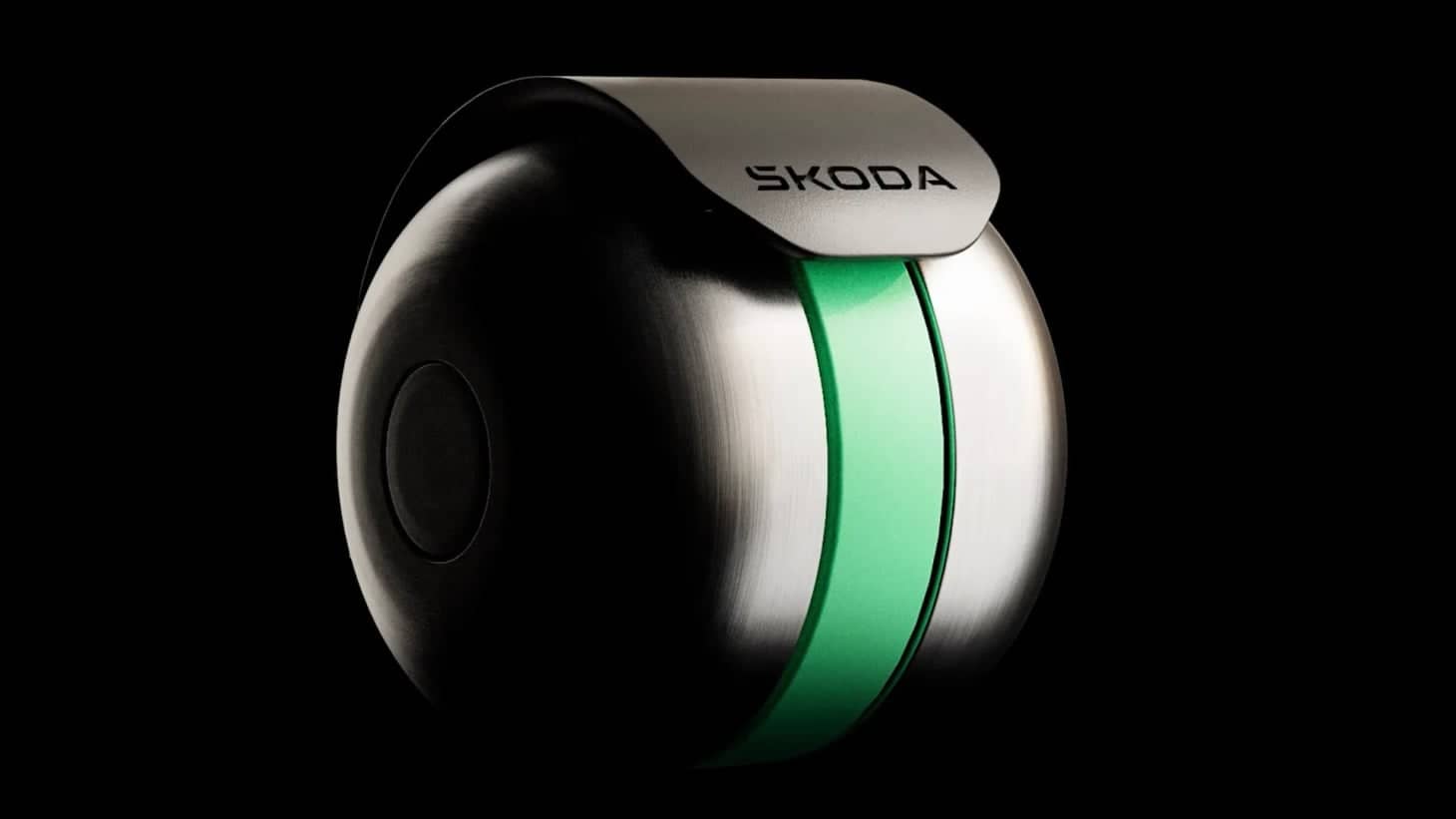
    Škoda DuoBell prototype unveiled on April 5, 2026

    Škoda DuoBell prototype unveiled on April 5, 2026

    750 Hz pulse and 2,000 Hz chime cut through ANC, alerting riders faster at 15 mph

    1 day ago
    SteamGPT Leak Reveals Dual‑Role AI on Steam

    SteamGPT Leak Reveals Dual‑Role AI on Steam

    Leak shows AI handling support and cheat‑detection for millions on the platform

    1 day ago
    Oppo Pad mini challenges Apple with Snapdragon 8 Gen 5

    Oppo Pad mini challenges Apple with Snapdragon 8 Gen 5

    April 21: Oppo Pad mini 8.8‑inch, Snapdragon 8 Gen 5, 5.39 mm, 279 g, 144 Hz OLED

    1 day ago
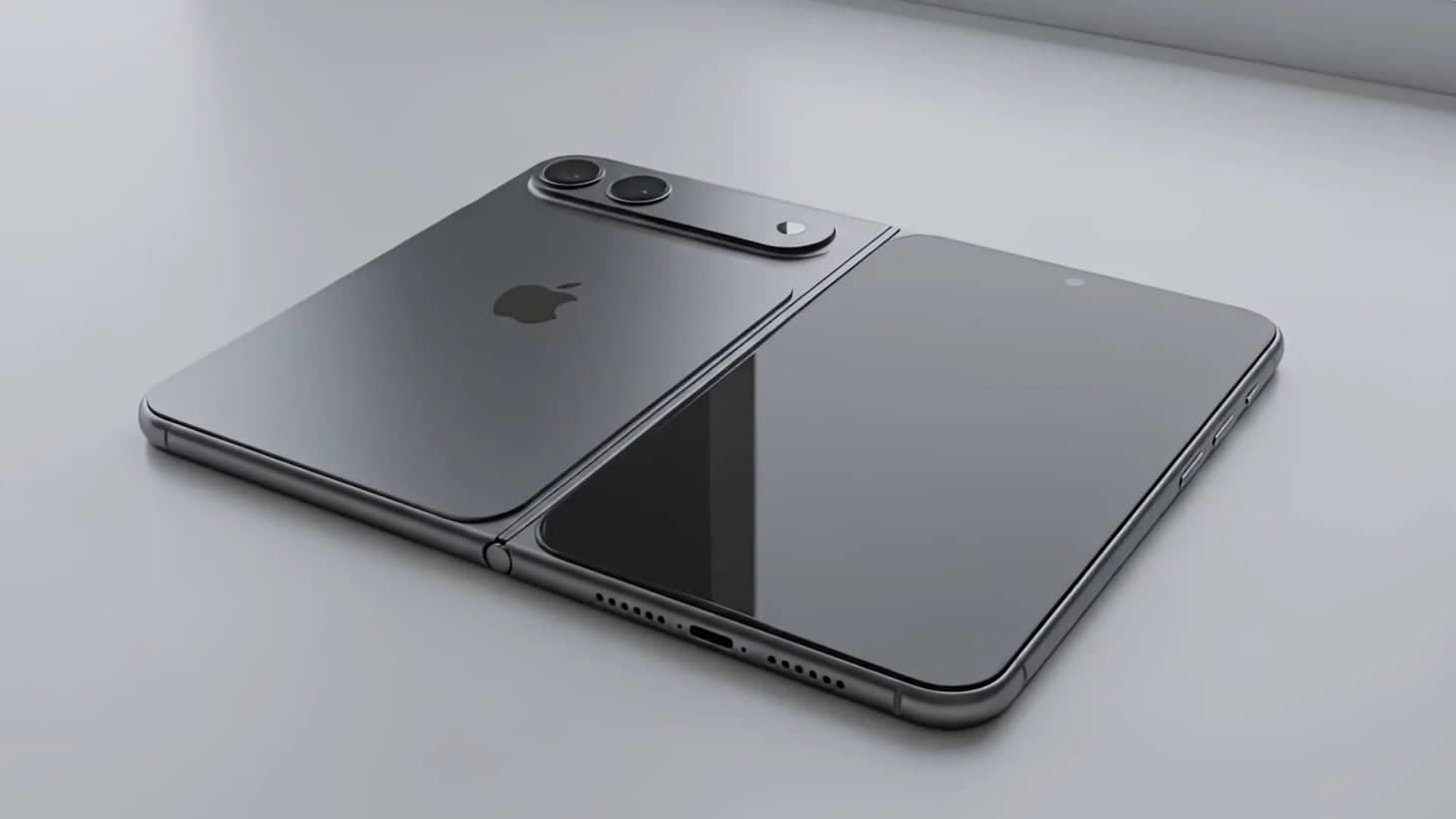
    Apple to ship 3 million foldable iPhones by end‑2026

    Apple to ship 3 million foldable iPhones by end‑2026

    Limited rollout equals 12 % of iPhone volume and rivals Samsung’s 2.4 million Galaxy Z Fold 7 sales

    1 day ago
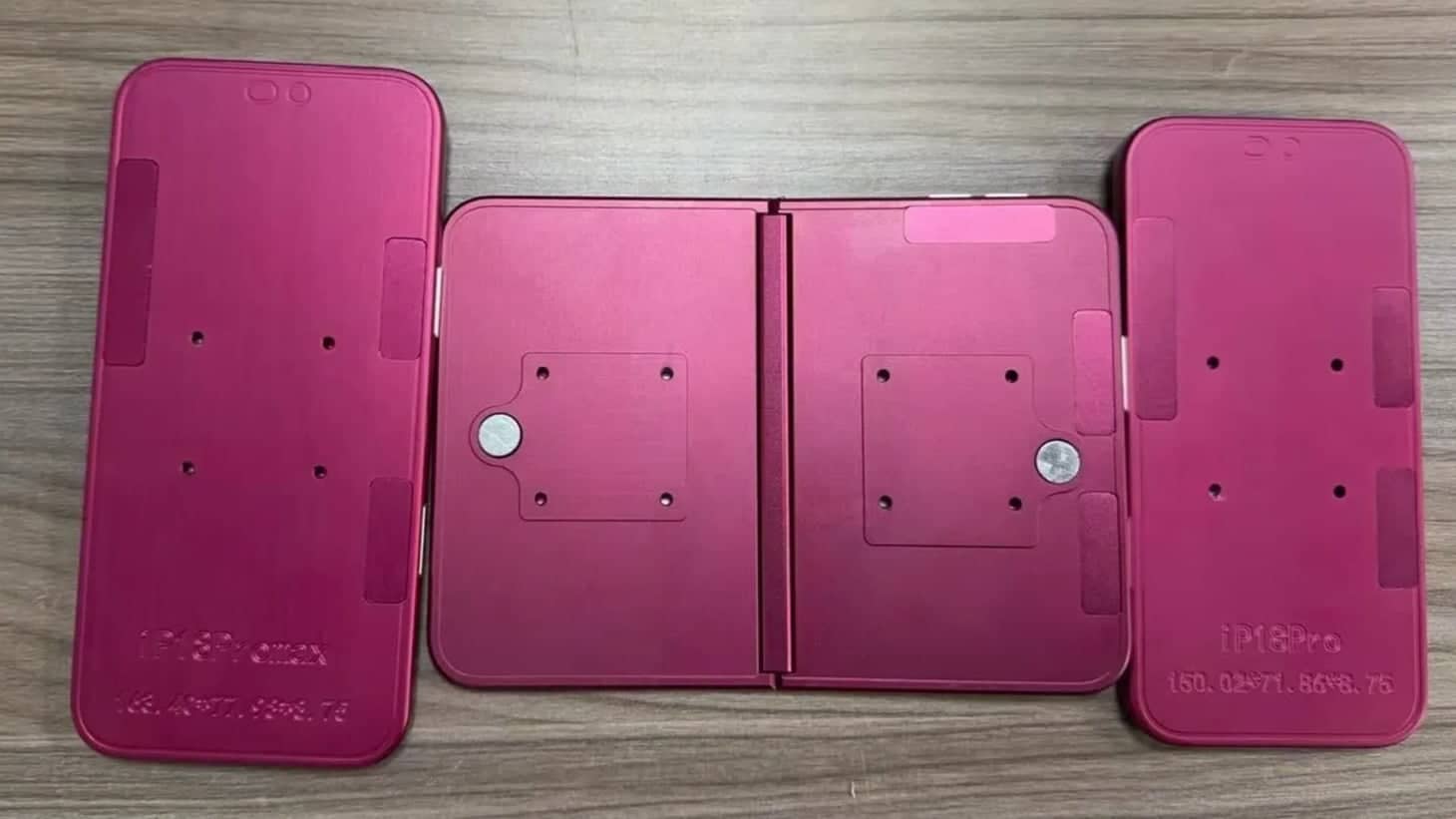
    Apple unveils iPhone 18 Pro, iPhone 18 Pro Max, and iPhone Ultra

    Apple unveils iPhone 18 Pro, iPhone 18 Pro Max, and iPhone Ultra

    Mockups match leaked renders; 20 million Samsung panels for iPhone Ultra

    2 days ago
    Sony launches Playerbase program for Gran Turismo 7

    Sony launches Playerbase program for Gran Turismo 7

    PlayStation gamers can win a flight, facial scan, and an avatar in Gran Turismo 7

    2 days ago
    Claude Mythos Preview Beats Opus 4.6 in Cybersecurity!

    Claude Mythos Preview Beats Opus 4.6 in Cybersecurity!

    Claude Mythos Preview for five partners—pricing after a 100 million token credit

    2 days ago
    ChatGPT and AI Tools Let Solo Founders Launch Fast

    ChatGPT and AI Tools Let Solo Founders Launch Fast

    With GitHub Copilot, a founder can code, design, and deliver an MVP in days

    3 days ago
    Android 17 beta adds Notification Rules

    Android 17 beta adds Notification Rules

    New rules let users silence, block, or highlight alerts; Samsung eyes One UI 9

    3 days ago
    Utah Starts 12‑Month AI Chatbot Pilot for Psychiatric Meds

    Utah Starts 12‑Month AI Chatbot Pilot for Psychiatric Meds

    Legion Health pilot offers refills for 15 meds, easing shortages in rural Utah

    3 days ago
    Loading...
Tech/Gadgets

Montblanc Digital Paper Review: When $905 Buys Silence, Not Features

Testing the luxury e-ink tablet that costs $276 more than reMarkable — and does less

December 9, 2025, 5:58 pm

A week with Montblanc's Digital Paper reveals a paradox: 4,096 pressure levels and exquisite aluminum construction wrapped around deliberate limitations. No browser, no apps, no ecosystem transparency. For $905, you're buying constraint as luxury — a writing device that can't distract you. We tested the texture simulation, compared the $276 premium over reMarkable Paper Pro, and discovered who this beautiful limitation actually serves.

2c82da7c-c6bc-4c6b-b8a9-238a51ba3aa5

Monday morning, 6:47 AM. The Digital Paper sits beside a coffee cup in a Portland apartment, no notifications, no email badge—just a blank page waiting. For the first time in months, the first thought of the day goes onto a screen without checking anything else first.

The device on the table is Montblanc's new Digital Paper—$905 worth of aluminum, e-ink, and a single question: can the quality of your writing tool change the quality of your thinking?

Montblanc built a digital device that refuses to multitask. No web browser. No email. No app store. The 10.3-inch e-ink screen shows black text on gray background. The aluminum body weighs 20.1 ounces—enough that when you lift it, your hand registers "substantial" before "tablet." The pen magnetically clicks into a leather sidebar that charges both devices wirelessly. That small magnetic snap becomes the sound of beginning work.

The engineering centers on replicating one experience: writing on paper. The stylus reads 4,096 pressure levels. Three interchangeable pen tips simulate different paper textures. You can annotate PDFs, sketch concepts, take notes. That's everything the device does.

When Pressure Becomes Visible

Tuesday afternoon in a Brooklyn coworking space, annotating a 200-page design specification. The first stroke across the screen surprises. The line thickens as your hand tenses around a thought—the way fountain pen ink pools when you press harder on paper. Light touches produce thin marks. Deliberate strokes create bold ones. The device registers pressure changes subtle enough that sketching and writing produce different textures without switching tools.

The three pen tips create distinct sensations under your fingers:

Smooth tip: Glides like a fountain pen on coated stock. Your hand moves fast across the surface. Minimal resistance. Best for quick meeting notes when you're capturing thoughts faster than analyzing them.

Medium grain: Creates friction similar to standard office paper. Grounds your hand without slowing it. Your wrist settles into the familiar angle of everyday writing. This becomes the default for most users within three days.

Textured tip: Mimics cold-press watercolor paper. Creates gentle vibration in your fingertips—a sensory detail that extends writing sessions before your hand remembers it's touching glass instead of fiber.

The e-ink screen eliminates the blue-light glare that tires eyes during long reading sessions. After an hour of continuous annotation, your eyes feel the same as when you started. The display works better in direct sunlight than indoors—the gray background shows its limitations compared to backlit screens in dim coffee shops, but blazes clear on outdoor patios at noon.

What Your Hand Learns After Three Days

The pen tip vibration approximates paper tooth, but your hand eventually learns it's an illusion. The screen is harder than paper. Your wrist angle shifts slightly to compensate—maybe two degrees, but enough that you notice during 40-minute drafting sessions.

For fountain pen users who've spent years calibrating pressure for ink flow, the digital translation feels close but not identical. Quick meeting notes? The texture simulation works beautifully. Your hand accepts the substitution without complaint. Long-form drafting where you're chasing a thought for an hour? The small compromises accumulate. Not enough to stop writing, but enough that you're aware you're working with glass, not pulp.

Where Your Notes Go When the Meeting Ends

Here's what the product page doesn't clarify: How do your notes leave this device? Montblanc mentions cloud sync capability but provides no details. Which services does it support? What export formats? Does handwriting recognition work reliably? Can notes flow into standard document workflows or popular productivity tools? At $905, these aren't minor questions.

For creative professionals who sketch morning concepts before meetings fragment thinking, export is secondary. The device serves as thinking space. Getting ideas off the tablet later is a separate task from capturing them clearly now.

For consultants who need client meeting notes integrated into project management systems the same afternoon, the information gap frustrates. Comparison: reMarkable Paper Pro (a competing e-ink tablet) costs $629 and documents cloud sync, OCR accuracy rates, third-party app integration, and file management in detail. That transparency builds trust for workflow-focused buyers.

Montblanc's silence suggests different priorities. The company positions Digital Paper as an object first, a productivity tool second. Whether that choice serves your needs depends on what happens to your notes after you write them.

What $276 More Than reMarkable Buys You

Montblanc Digital Paper: $905. reMarkable Paper Pro: $629. Difference: $276.

That premium delivers:

Museum-quiet industrial design: The aluminum chassis sits on a conference table like a leather portfolio, not a consumer gadget. reMarkable ships in utilitarian plastic that works perfectly and looks exactly like what it costs.

Wireless charging integration: The magnetic leather sidebar charges both tablet and pen simultaneously. No cables to carry. No ports to plug in before morning meetings when you realize the battery died overnight.

Interchangeable texture tips: Three pen tips simulating different paper surfaces. reMarkable offers a single-texture experience. Whether variety matters depends on whether you notice the difference between writing on printer paper and watercolor stock.

Brand heritage: The pen design language echoes Meisterstück fountain pens. Montblanc's century of craftsmanship positioning. The white star emblem. You're buying the signal the device sends to yourself and others about what quality means.

The calculation depends on whether you're buying a tool or an object. Digital Paper delivers fewer documented features than reMarkable—no transparent ecosystem integration, no detailed technical specifications, no clear workflow optimization story. What it offers instead is refinement: the quality of materials, the sensory details of writing, the deliberate reduction of functionality as design philosophy.

The Complete Investment

Base tablet: $905. Optional calf leather folio: $205. Total cost for a protected device with professional presentation: $1,110.

reMarkable Paper Pro bundled with premium accessories reaches approximately $800–$900 depending on configuration. An iPad Pro starts at similar pricing but delivers exponentially more functionality—and exponentially more distraction potential.

Montblanc's bet: there's a buyer who values what the device doesn't do. The Digital Paper creates a protected space where the only available action is writing. Whether that constraint feels like liberation or limitation depends on your relationship with digital distraction.

The Email You Can't Check Because There's No Browser

Sunday evening, one week into testing. Three devices sit on a desk: a laptop open to seventeen browser tabs, a tablet with forty-three unread notifications, a phone vibrating with a text message. And the Digital Paper—matte black, screen blank, waiting.

When you want to write without the possibility of checking email, reading news, or falling into research rabbit holes, you reach for the most limited device. Not because it's best. Because it can't distract you.

The constraint is Montblanc's engineering achievement. The company built a digital tool that makes distraction impossible. No browser to "quickly check something" that turns into twenty minutes of reading. No notification system to interrupt flow. No app store to explore when writing gets difficult.

Wednesday morning, 7:15 AM, working on a client proposal. Forty minutes pass before you look up. The Digital Paper's screen shows three pages of handwritten notes. Your laptop would have interrupted you six times by now—calendar reminders, Slack messages, email previews sliding in from the screen corner. Here: silence. The work gets finished before the workday officially starts.

The friction of moving notes off the device becomes a feature. It keeps you writing longer before switching to other tasks. Export requires intention. You can't mindlessly dump thoughts into twelve different systems while you're still thinking. The note stays contained until you deliberately choose to move it elsewhere.

Whether that philosophy justifies $905 depends on what you're protecting. If you measure devices by what they enable, Digital Paper is expensive for what it delivers. If you measure them by what they protect—attention, focus, the quality of uninterrupted thought—the value calculation shifts.

Who This Device Changes Work For

The designer who starts every day sketching concepts on a Chicago balcony before meetings fragment thinking: You've tried every distraction-free app. They all live inside devices that can also check Twitter. The Digital Paper's e-ink screen works beautifully in direct sunlight at 6:30 AM. The pressure sensitivity captures light pencil strokes accurately—the weight of exploring an idea, not presenting one. You're drawing, not managing software. The device disappears into the ritual. When you walk into the 9:00 AM meeting, the thinking is already done. Export limitations matter less when the value is thinking time, not deliverable production.

The consultant taking notes in a Manhattan client office: The leather folio and aluminum body signal attention to detail that matches your presentation standards. Taking notes on this device feels more intentional than typing on a laptop—you're visibly focused on what the client is saying, not half-checking email. The challenge: getting those notes into your project management system by end of day requires investigation Montblanc should document clearly but doesn't. You'll solve it, but you'll waste an hour figuring out the solution that should have been explained at purchase.

The writer who fights digital distraction every morning and loses: You've tried Freedom, Cold Turkey, Focus. You still end up in browser tabs. This is the first digital device that might actually change your practice because it makes the fight impossible to lose. The texture simulation isn't paper, but it's close enough that your hand accepts the substitution after two days. The e-ink screen doesn't tire your eyes during long drafting sessions. The magnetic click of attaching the pen becomes the sound of starting work, not avoiding it. Whether it replaces your paper notebook depends on how much the export workflow matters to your process—and how much you value never being able to "just quickly check" something.

The executive who owns eleven fountain pens: You already understand paying for the quality of a writing instrument. The Digital Paper speaks your language. It's not about productivity metrics. It's about whether the tool feels right in your hand during the thirty minutes before anyone else arrives at the office. The weight. The texture. The deliberate reduction of everything except the thought you're trying to capture. You won't justify this purchase with ROI calculations. You'll justify it the same way you justified the Meisterstück: because the quality of the object affects the quality of the work.

This device doesn't work if: You need detailed technical specifications before purchase decisions. You measure tools primarily by productivity metrics. Workflow integration and ecosystem documentation are essential to your practice. You want transparent battery life data and performance benchmarks. The $276 premium over reMarkable isn't justified by refinement details you won't use daily.

What Montblanc Doesn't Document

The technical specifications other manufacturers list as standard aren't provided. No processor type. No RAM configuration. No storage capacity details. No battery life metrics beyond the 3,740 mAh number—which tells you nothing about real-world hours between charges.

For tech professionals who evaluate devices using detailed specification comparison, this opacity disqualifies the purchase. You need data to make decisions. Montblanc positions Digital Paper outside that framework entirely. The device asks you to evaluate it the way you'd evaluate a fountain pen: by how it feels in your hand, not by its technical performance envelope.

That's a defensible positioning choice. It also creates friction for buyers who need ecosystem documentation, workflow integration details, and transparent performance metrics before spending four figures on a single-purpose device.

The First Sentence That Remembers Pressure

Thursday morning. The Digital Paper sits on a café table in Austin, weighing exactly 20.1 ounces. A colleague leans over. "Is that a Kindle?"

Not quite. It's a device that does less than the phone in your pocket and costs more than the laptop in your bag. It can't check email. It won't show you the news. It makes one bet: that somewhere in your work, there's a space where the quality of attention matters more than the quantity of features.

Whether Montblanc won that bet depends on a question only you can answer: What will your first sentence on e-ink that remembers pressure feel like? And will the absence of everything else change what you write?

The verdict: The Digital Paper justifies its $905 price if you're buying a philosophy about attention rather than a feature list. For professionals who've already internalized that distraction is expensive, who value the quality of thinking time over productivity metrics, and who understand why a fountain pen costs more than a ballpoint—this device makes sense. For everyone else, reMarkable Paper Pro delivers 90% of the experience at 70% of the price with better documentation. The question isn't whether Montblanc built a good device. It's whether you're the person who needs what it protects.
What is this about?

  • Review */
  • Lila Fontaine/
  • Tech/
  • Gadgets
  • productivity/
  • writing tools/
  • digital creativity

Feed

    Button AI Assistant Debuts, Offering Screen‑Free Voice Help

    Button AI Assistant Debuts, Offering Screen‑Free Voice Help

    Nostalgic iPod Shuffle design meets privacy‑first press‑to‑talk AI

    about 4 hours ago
    Razer Hammerhead V3 HyperSpeed Debuts with Dual‑Mode Case

    Razer Hammerhead V3 HyperSpeed Debuts with Dual‑Mode Case

    The USB‑C case also serves as a 2.4 GHz receiver, cutting dongles for PS5 and phones

    about 4 hours ago
    Apple ships 6.2 million Macs Q1 2026, M5‑MacBook Pro leads

    Apple ships 6.2 million Macs Q1 2026, M5‑MacBook Pro leads

    Apple’s share rises to 9.5%, moving it into fourth place among global PC makers

    about 4 hours ago
    Galaxy S22 Ultra can be bricked after factory reset

    Galaxy S22 Ultra can be bricked after factory reset

    US owners report IMEI‑level lock that hands control to unknown administrator Numero LLC

    about 4 hours ago
    Mouse: P.I. for Hire arrives April 16 on PC, PS5, and Xbox

    Mouse: P.I. for Hire arrives April 16 on PC, PS5, and Xbox

    Modes: 4K 60 fps quality or 120 fps performance on PS5 and Xbox Series X

    about 4 hours ago
    YouTube Rolls Out Auto Speed for Premium Users

    YouTube Rolls Out Auto Speed for Premium Users

    The AI‑driven playback boost aims to cut dead air on long videos

    about 24 hours ago
    Blackwell Set to Capture Majority of the 2026 GPU Market

    Blackwell Set to Capture Majority of the 2026 GPU Market

    GB300/B300 GPUs Push Blackwell to 71% of Shipments; Rubin Falls to 22%

    1 day ago
    Google launches AI avatar tool for Shorts on April 9, 2026

    Google launches AI avatar tool for Shorts on April 9, 2026

    Ages 18+ can create digital replicas, with Synth ID tags and a 3‑year auto‑delete

    1 day ago
    Mac OS X 10.0 Cheetah runs on Wii

    Mac OS X 10.0 Cheetah runs on Wii

    Ports Mac OS X 10.0 Cheetah to the Wii, showing the PowerPC 750CL can run an OS

    1 day ago
    DuoBell Beats ANC: Safer Cycling with Apple AirPods Max

    DuoBell Beats ANC: Safer Cycling with Apple AirPods Max

    A 750 Hz blind‑spot lets DuoBell cut through ANC on popular headphones

    1 day ago
    Škoda DuoBell prototype unveiled on April 5, 2026

    Škoda DuoBell prototype unveiled on April 5, 2026

    750 Hz pulse and 2,000 Hz chime cut through ANC, alerting riders faster at 15 mph

    1 day ago
    SteamGPT Leak Reveals Dual‑Role AI on Steam

    SteamGPT Leak Reveals Dual‑Role AI on Steam

    Leak shows AI handling support and cheat‑detection for millions on the platform

    1 day ago
    Oppo Pad mini challenges Apple with Snapdragon 8 Gen 5

    Oppo Pad mini challenges Apple with Snapdragon 8 Gen 5

    April 21: Oppo Pad mini 8.8‑inch, Snapdragon 8 Gen 5, 5.39 mm, 279 g, 144 Hz OLED

    1 day ago
    Apple to ship 3 million foldable iPhones by end‑2026

    Apple to ship 3 million foldable iPhones by end‑2026

    Limited rollout equals 12 % of iPhone volume and rivals Samsung’s 2.4 million Galaxy Z Fold 7 sales

    1 day ago
    Apple unveils iPhone 18 Pro, iPhone 18 Pro Max, and iPhone Ultra

    Apple unveils iPhone 18 Pro, iPhone 18 Pro Max, and iPhone Ultra

    Mockups match leaked renders; 20 million Samsung panels for iPhone Ultra

    2 days ago
    Sony launches Playerbase program for Gran Turismo 7

    Sony launches Playerbase program for Gran Turismo 7

    PlayStation gamers can win a flight, facial scan, and an avatar in Gran Turismo 7

    2 days ago
    Claude Mythos Preview Beats Opus 4.6 in Cybersecurity!

    Claude Mythos Preview Beats Opus 4.6 in Cybersecurity!

    Claude Mythos Preview for five partners—pricing after a 100 million token credit

    2 days ago
    ChatGPT and AI Tools Let Solo Founders Launch Fast

    ChatGPT and AI Tools Let Solo Founders Launch Fast

    With GitHub Copilot, a founder can code, design, and deliver an MVP in days

    3 days ago
    Android 17 beta adds Notification Rules

    Android 17 beta adds Notification Rules

    New rules let users silence, block, or highlight alerts; Samsung eyes One UI 9

    3 days ago
    Utah Starts 12‑Month AI Chatbot Pilot for Psychiatric Meds

    Utah Starts 12‑Month AI Chatbot Pilot for Psychiatric Meds

    Legion Health pilot offers refills for 15 meds, easing shortages in rural Utah

    3 days ago
    Loading...
banner